Keeping a WordPress site updated should feel clear, predictable, and easy to control. GPL Kit 3.0.1 builds on the major 3.0 release with a smoother plugin browsing experience, stronger update management, and a refreshed admin interface designed for busy site owners, developers, and agencies.
This release is focused on making GPL Kit feel more useful from the moment you open it. Plugin details are easier to view from the plugin overview screen, update workflows are more visible, catalogue browsing is more powerful, and the admin experience now includes thoughtful touches like dark mode, clearer filters, and better status feedback.
Better Plugin Discovery
GPL Kit’s plugin catalogue is now easier to browse, search, and refine. The Plugins screen includes keyword search, category filtering, tag filtering, and searchable multi-select term pickers, so you can move through a large catalogue without losing your place.
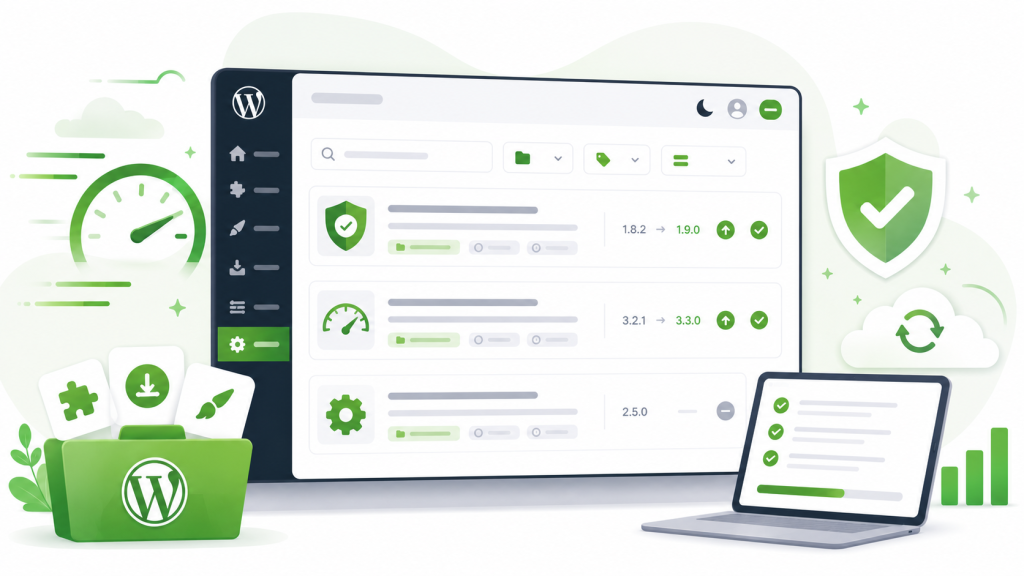
Plugin cards now show more of the information you need at a glance, including category labels, available catalogue version metadata, installed version details, and update indicators when a newer GPL Kit version is available.
A Dedicated GPL Kit Updates Screen
Version 3.0 introduced one of GPL Kit’s biggest workflow upgrades: a dedicated Updates screen for installed GPL Kit-managed plugins.
Instead of hunting across different screens, you can now see which installed GPL Kit plugins are behind the catalogue version, compare installed and available versions, and run updates directly from GPL Kit.
The Updates screen includes:
– A clear count of available GPL Kit-managed updates.
– Installed version and GPL Kit catalogue version columns.
– One-click updates for individual plugins.
– Bulk Update All support for eligible plugins.
– Per-row progress messages while update actions run.
– Status feedback for completed, skipped, failed, or warning states.
For agencies and site maintainers managing multiple GPL Kit-powered installs, this makes routine maintenance much easier to scan and act on.
Native WordPress Update Notices
GPL Kit-managed plugin updates now appear in the native WordPress Plugins screen too, as long as the plugin has not been bypassed.
That means GPL Kit updates can surface in the place WordPress users already expect to see plugin update notices, while still keeping the dedicated GPL Kit Updates screen available for focused maintenance.
Manual Catalogue Refresh
When new products or versions are not appearing as expected, GPL Kit now includes a manual Refresh Catalogue action from Settings.
Refreshing reloads GPL Kit plugin and theme catalogue data, clears the WordPress plugin update cache, and checks installed plugin versions against the refreshed catalogue. If a remote catalogue response fails or comes back empty, GPL Kit keeps the existing catalogue data instead of replacing it with incomplete results.
That makes catalogue maintenance more reliable and gives admins a direct way to pull fresh GPL Kit data before checking updates.
Smarter Bypass Controls
Some sites need fine-grained control over where updates come from. GPL Kit’s bypass controls make that possible.
When a plugin is bypassed, GPL Kit excludes it from GPL Kit update notices, update counts, the GPL Kit Updates screen, plugin information lookups, and direct GPL Kit update actions. The plugin can still use its default WordPress or vendor update behavior where available.
This is useful when a site needs to keep a specific plugin on a vendor-managed update path, test a custom version, or avoid changing a known-good production setup.
A More Polished Admin Experience
GPL Kit’s admin area has been cleaned up around the core workflows: Plugins, Themes, Updates, Bypass, and Settings.
The 3.0 release added a unified GPL Kit admin toolbar with update-count badges, removed the older dashboard screen, and introduced a General settings tab for interface preferences, catalogue maintenance, and optional features.
The plugin catalogue also now includes empty-state messaging and Clear filters actions, so searches that return no results feel less like a dead end and more like a quick reset.
Dark Mode for GPL Kit Screens
GPL Kit now includes user-specific dark mode for GPL Kit admin screens.
The setting is saved to the current WordPress user profile and applies immediately, making long admin sessions more comfortable without changing the experience for other users on the same site.
Experimental AI Catalogue Assistance
For WordPress 7.0+ sites with a configured WordPress AI provider, GPL Kit can optionally enable experimental AI catalogue features.
The AI catalogue assistant can help recommend GPL Kit catalogue plugins from a site-owner request and filter the Plugins screen to suggested matches. If an AI ranking provider is not available, GPL Kit can fall back to local catalogue matching.
These features are optional and experimental, but they point toward a faster way to move from “I need a plugin that does this” to a narrowed set of useful GPL Kit options.
Stronger Update and Install Handling
GPL Kit 3.0 also tightened the foundations behind installs and updates.
Catalogue, plugin info, update, and install requests now use hardened HTTPS handling and WordPress safe remote/download helpers. Install and update failures now return more specific messages for common package, download, unzip, and destination-folder issues, with improved debug logging for upgrader errors.
The result is a more dependable update experience with clearer feedback when something needs attention.
Built for Modern WordPress and WooCommerce
GPL Kit 3.0.1 targets modern WordPress environments with:
– WordPress minimum requirement metadata updated to 6.5.
– Tested up to WordPress 7.0.
– PHP 7.4 minimum requirement.
– WooCommerce HPOS compatibility declaration.
– WooCommerce tested metadata up to 10.8.1.
Update to GPL Kit 3.0.0
GPL Kit 3.0.0 is a practical release for anyone who wants a cleaner way to browse, install, and maintain GPL Kit-managed plugins and themes from inside WordPress.
Update to GPL Kit 3.0.1 today and take the new plugin overview, dedicated Updates screen, catalogue refresh tools, bypass controls, dark mode, and experimental AI assistant for a spin.